| Home |

|
Email: superlumination@cox.net |
 |
|
|
MENU HERE
Remote Controls and Remote Switches
| Home |
|
Email: superlumination@cox.net |
|
|
|
|
Remote Controls and Remote Switches
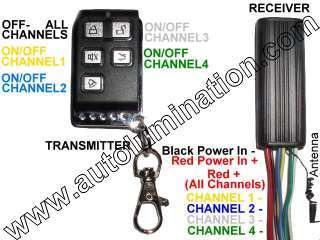
Miniature 12 Volt Remote Control Switches
|
|

|
|
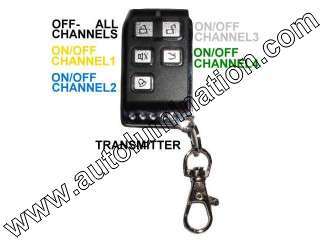
| 4 Channel System - Switches up to 4 circuits on and off | 1 Channel Micro System | ||
| $24.99 | $5.99 | $24.99 | $5.99 |
|
10 amp (120 watt) total capacity (all channels added together) |
Spare Remote for 4 channel system |
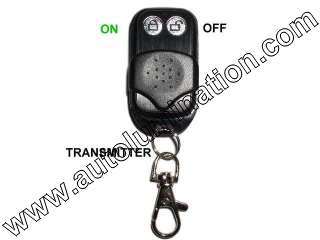
5 amp (60 watt) total capacity |
Spare Remote for 1 channel system |
| Receiver Measures 3" x 1-1/8" x 9/16" | Receiver Measures 5/8" x 1-3/4" x 1/2" | ||
|
Wireless Remote Control on/off Switch
|
12 Volt DC Input
60 watt maximum output. 5 amp capacity. no programming necessary Works great for door locks, headlights, alarms, etc.. |
26mm x 54mm x 26mm Deep
1" x 2" x1" Deep
|
Capacity (Up to):
|
Wireless Remote Switches
|
|
|
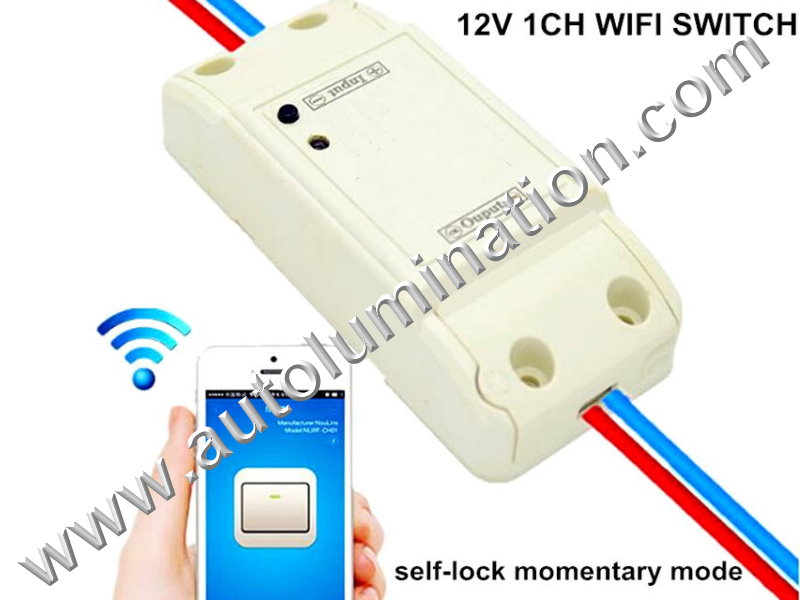
WIFI 12-24v 1 Channel Remote Control Switch |
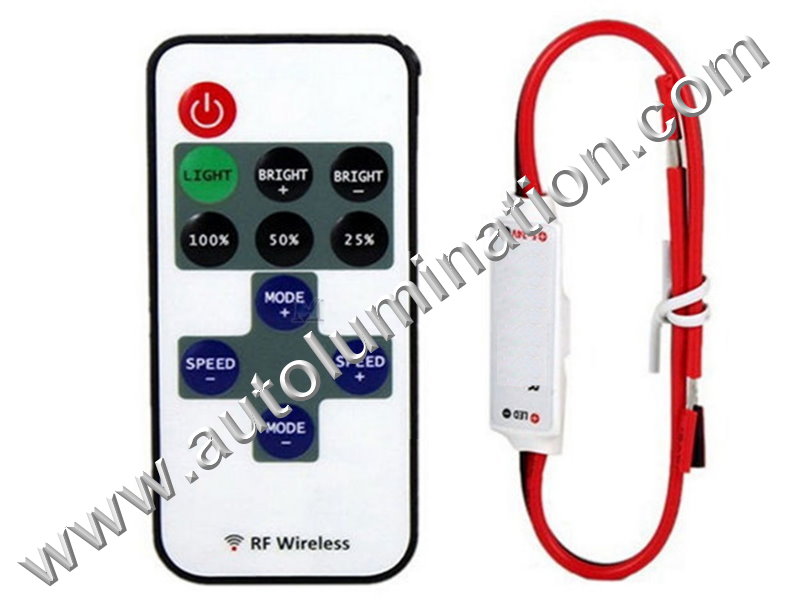
Mini Micro Wirelss 12-24 Volt Switch |
| Programmable for Mometary or Self Locking | 10 Dimming and Flashing Modes + On and Off |
|
Works with IOS Apple and Google Android Operating Systems (Note: Switch/Receiver must be within the range of your wireless router) |
Battery type: 3V CR2025 (Not Included) |
| Capacity: 10 Amp 1000 watts 88mm x 39mm x 23mm | 15 Meter Range (Unobstructed) Capacity: 12 Amp 1500 watts 15mm x 55mm |
|
$14 .99 Each |
$ 4.99 Each |
|
||||||||||||||||||||||||||||||||||||||||||||||||||||||||||
| 890MAX | ||||||||||||||||||||||||||||||||||||||||||||||||||||||||||
| Works with either 315 or 390 MHz Rolling Code | ||||||||||||||||||||||||||||||||||||||||||||||||||||||||||
|
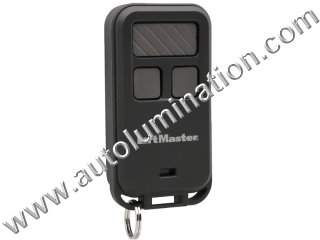
Works with Chamberlain Manufactured openers such as Sears Craftsman & Liftmaster Note: To program, you must have a reddish orange or purple learn button on the back of motor head under the light cover |
||||||||||||||||||||||||||||||||||||||||||||||||||||||||||
Features and Specifications
|
||||||||||||||||||||||||||||||||||||||||||||||||||||||||||
| (See Programming Instructions) | ||||||||||||||||||||||||||||||||||||||||||||||||||||||||||
| $24.99 ea. | ||||||||||||||||||||||||||||||||||||||||||||||||||||||||||
|
Compatibility Compatible with ALL Security+ systems, including Chamberlain, Sears, Craftsman and Raynor code rolling residential openers (Safety Signal) Chamberlain 950CB, 953CB, 956CB Chamberlain garage door opener model numbers 1200, 2200, 4200, 6200, 7220, CG40, CG40, PD210, PD610, PD612K, 7320, 8200, 9200, 4620, 4640, 9902, PD420, PD460-2, 9950
Liftmaster
Other Skylink 69N Universal Keychain Remote Model G971AC for Access Master garage door openers. Security+ garage opener receiver model numbers 335LM, 535LM, 412HM, 635LM |
||||||||||||||||||||||||||||||||||||||||||||||||||||||||||
|
|
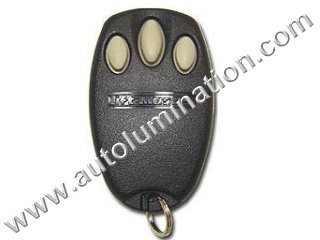 |
||||||||||||||||||||||||||||||||||||||||||||||||||||||||||
| 390RC-1 | 390RC-3 | 390RC-3Key | ||||||||||||||||||||||||||||||||||||||||||||||||||||||||||
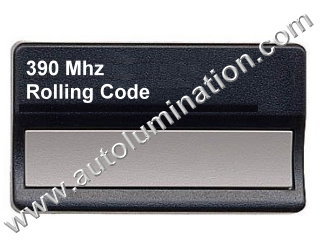
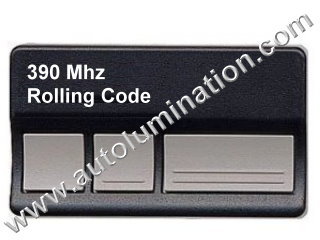
| 390 MHz Rolling Code | ||||||||||||||||||||||||||||||||||||||||||||||||||||||||||||
|
Works with Chamberlain Manufactured openers such as Sears Craftsman & Liftmaster Note: To program, you must have a reddish orange learn button on the back of motor head under the light cover |
||||||||||||||||||||||||||||||||||||||||||||||||||||||||||||
Features and Specifications
|
Features and Specifications
|
Features and Specifications
|
||||||||||||||||||||||||||||||||||||||||||||||||||||||||||
| (See Programming Instructions) | (See Programming Instructions) | (See Programming Instructions) | ||||||||||||||||||||||||||||||||||||||||||||||||||||||||||
| $19.99 ea. | $24.99 ea. | $24.99 ea. | ||||||||||||||||||||||||||||||||||||||||||||||||||||||||||
|
Compatibility Compatible with ALL Security+ systems, including Chamberlain, Sears, Craftsman and Raynor code rolling residential openers (Safety Signal) Chamberlain 950CB, 953CB, 956CB Chamberlain garage door opener model numbers 1200, 2200, 4200, 6200, 7220, CG40, CG40, PD210, PD610, PD612K, 7320, 8200, 9200, 4620, 4640, 9902, PD420, PD460-2, 9950
Liftmaster
Other Skylink 69N Universal Keychain Remote Model G971AC for Access Master garage door openers. Security+ garage opener receiver model numbers 335LM, 535LM, 412HM, 635LM |
||||||||||||||||||||||||||||||||||||||||||||||||||||||||||||
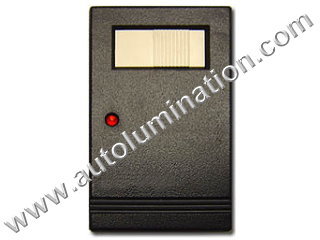 |
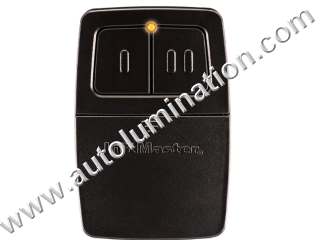 |
 |
||||||||||||||||||||||||||||||||||||||||||||||||||||||||||||||||||||||||||||||||||||||||||||||||||||||||||||
| 390-64LM |
 375LM (Improved) 375LM (Improved) |
315RC-3Key | ||||||||||||||||||||||||||||||||||||||||||||||||||||||||||||||||||||||||||||||||||||||||||||||||||||||||||||
| 390 MHz Rolling Code | 390 MHz Rolling Code | 315 MHz Rolling Code | ||||||||||||||||||||||||||||||||||||||||||||||||||||||||||||||||||||||||||||||||||||||||||||||||||||||||||||
|
Works with Chamberlain Manufactured openers such as Sears Craftsman & Liftmaster Note: To program, you must have a green learn button on the back of motor head under the light cover |
Works with Chamberlain Manufactured openers such as Sears Craftsman & Liftmaster Note: To program, you must have a green learn button on the back of motor head under the light cover |
Works with Chamberlain Manufactured openers such as Sears Craftsman & Liftmaster Note: To program, you must have a purple learn button on the back of motor head under the light cover |
||||||||||||||||||||||||||||||||||||||||||||||||||||||||||||||||||||||||||||||||||||||||||||||||||||||||||||
|
Features and Specifications
|
Features and Specifications
|
Features and Specifications
|
||||||||||||||||||||||||||||||||||||||||||||||||||||||||||||||||||||||||||||||||||||||||||||||||||||||||||||
| (See Programming Instructions) | (See Programming Instructions) | (See Programming Instructions) | ||||||||||||||||||||||||||||||||||||||||||||||||||||||||||||||||||||||||||||||||||||||||||||||||||||||||||||
| $29.99 ea. | $24.99 ea. | $24.99 ea. | ||||||||||||||||||||||||||||||||||||||||||||||||||||||||||||||||||||||||||||||||||||||||||||||||||||||||||||
|
Compatibility Liftmaster 51LM,53LM,54LM,61LM,62LM,63LM Sears Craftsman
Compatibles by Liftmaster
Other manufacturers Skylink 66 universal keychain garage door opener |
Compatibility Liftmaster 51LM,53LM,54LM,61LM,62LM,63LM, 375LM Sears Craftsman
Compatibles by Liftmaster
Other manufacturers Skylink 66 universal keychain garage door opener |
Compatibility Liftmaster
|
||||||||||||||||||||||||||||||||||||||||||||||||||||||||||||||||||||||||||||||||||||||||||||||||||||||||||||
|
This looks like my remote, but how do I know if it's the right one?
1. Frequency: Check the back of your remote to make sure the frequency of the remote is 390mhz (megahertz) or says Liftmaster, Chamberlain, or Sears Craftsman. All of these use the same frequency of 390mhz.
|
This looks like my remote, but how do I know if it's the right one?
1. Frequency: Check the back of your remote to make sure the frequency of the remote is 390mhz (megahertz) or says Liftmaster, Chamberlain, or Sears Craftsman. All of these use the same frequency of 390mhz.
|
Programmable Remotes (Can work for up to 4 devices)
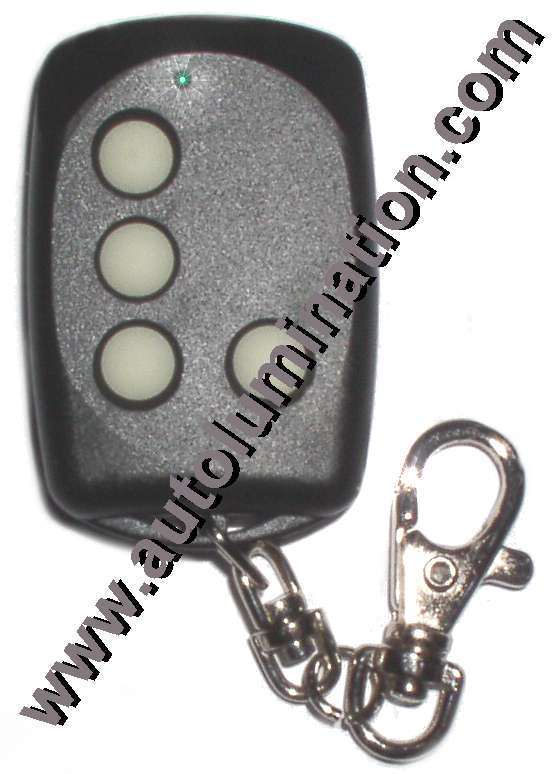
|
|
| LRT-1 (Frequency must be Set) | LRT-1 (With Factory Preset Frequency) |
| (See Programming & Frequency Setting Instructions) | (See Programming Instructions) |
|
Note: This item will require you to select your frequency range and may require you to make some additional frequency adjustments. Please see the programming instructions for details. |
Note: If we do not list your exact frequency, please note your frequency in the notes section along with your order and we will set the unit to that frequency. |
| 4 Button - Single Frequency | 4 Button - Single Frequency |
| $19.99 ea. | $21.99 ea. |
FEATURES
Can "Duplicate" any frequencies between 250Mhz - 538Mhz.
Each unit measures only 2-1/4" x 1-1/2" x 1/2". Fits in you pocket, on your key-chain, clips on your belt or clip anywhere.
These are small, but powerful. They have better range than any of my remotes that I replaced.
These use less power than any other remote I have tried, which means the battery will last a long time.
These will automatically learn the frequency of up to four different remote controllers with the push of a button.
These have glow in the dark buttons you you can see which button to push in the dark.
Each unit has 4-channels. This allows you to program and operate up to four separate devices with this one remote. Provided the devices all operate on the same frequency.
Key chain spring-loaded clasp can be clipped anywhere. Fits easily in your pocket.
Dimensions 2-1/4" x 1-1/2" x 1/2".
Complete with battery.
USES
Garage Doors: Automatically learns from your existing garage door remotes or your built-in car remote unit . You can program each remote to open up to four separate garage doors.
Security Gates: These are great if you have a neighborhood gate. This unit can be set to open any gate, plus up to three garage doors. Instead of 2, 3 or 4 remotes, you only need one.....and it's half the size of most remote control units!
Other uses:
Home alarms
Car alarms
Remote car doors and trunks
Security Gates
Remote car starters
Frequently asked questions:
1. How do these work?
The remote is built with an automatic sensor that can learn the frequency from any other remote transmitter that operates between 255 and 500 megahertz. This is about 90% of all remote controls commonly used today.
2. How are these used for so many different functions?
Unlike most remote units that come with; garage openers, cars (for opening doors and trunks, car alarms, gates and other remote devices, this unit is programmable. This means you won't have to go out and buy a new remote at outrageous prices if you need a spare, or you lose one. The car dealers, auto alarm companies, garage door openers manufacturers hate these things and will not sell you one like this. They want to sell you a their "proprietary spare remotes".
These businesses actually make more profit selling remotes than they make selling their primary products.
3. How many of these can I use at one time?
You can put one in every car and program each one to work for the the same or different purposes. For example; my unit opens the gate, car doors and each garage door. My wife's opens the gate, each garage door and her car doors. The kids set theirs to open the gate, operate their car alarm, car doors, and the remote outdoor lights for when they come home late and have to park in the street.
4. What if I get a new car or a new garage opener. Is the unit useless?
No. You can always reprogram the unit to work with a new frequency of the new device, car, or garage opener. Each of the four buttons can re-learn any time.
5. How do I program these?
You simply press the button on your present remote unit that you want to learn from. With the touch of a button the new remote will automatically lock on the the proper frequency of the other remote unit and program it onto any of the four buttons to operate that exact frequency. In some cases additional tuning may be required to optimize the performance, or to allow the remote to receive the signal from the primary unit.
Manual Switches
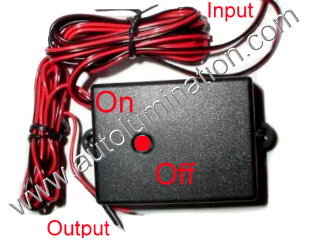
|
|
| Manual ON/OFF LED Switch Module With Flash (100-200 cycles/minute) | Manual ON/OFF LED Switch Module (No Flash) |
| $3.99 Each | $2.99 Each |
 |
Led Colored Switches |
|
 |
|||||
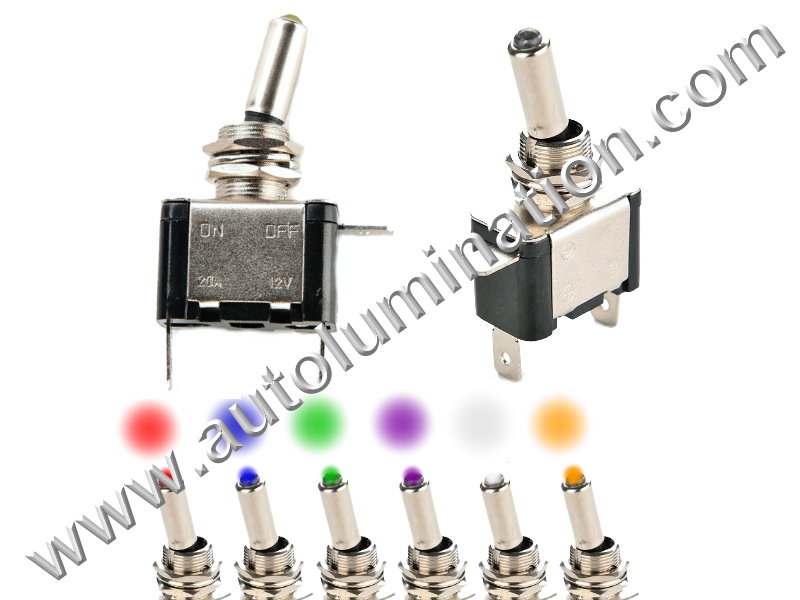
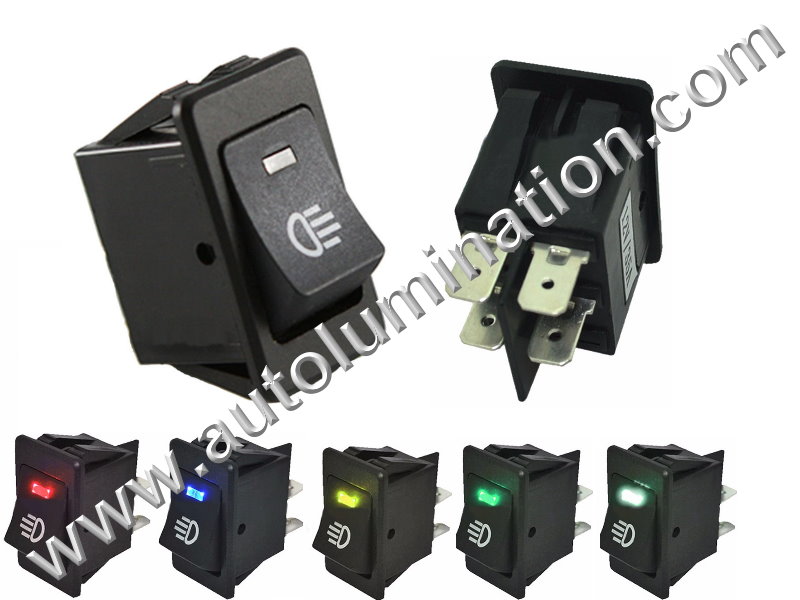
| 12 Volt 35 Amp | ||||||||
| Outfitted with Colorful leds | ||||||||
| Hover Over, Click (2x) or Double Click (3x) Image to Enlarge | ||||
|
|
|
|
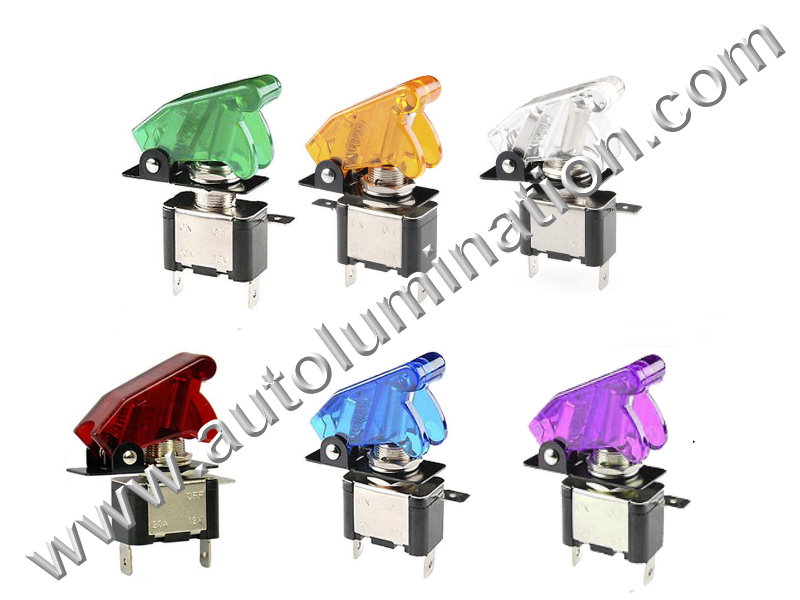 |
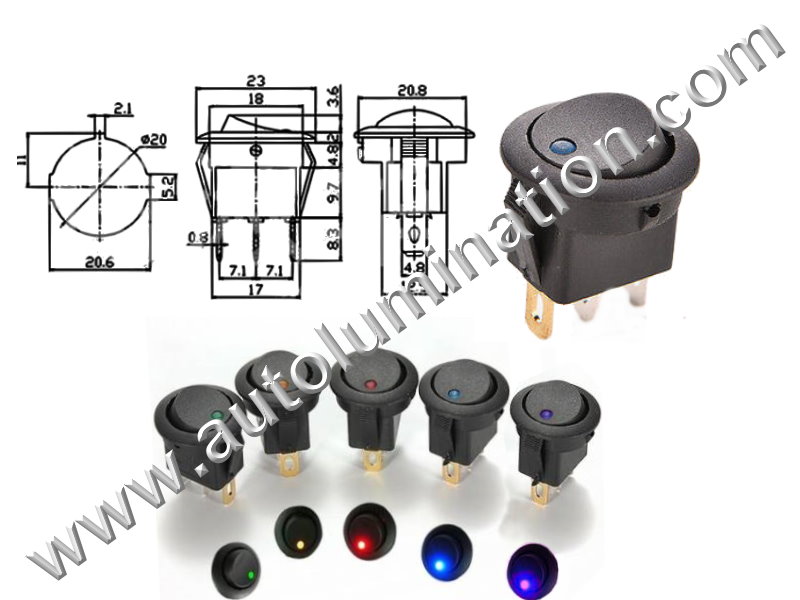
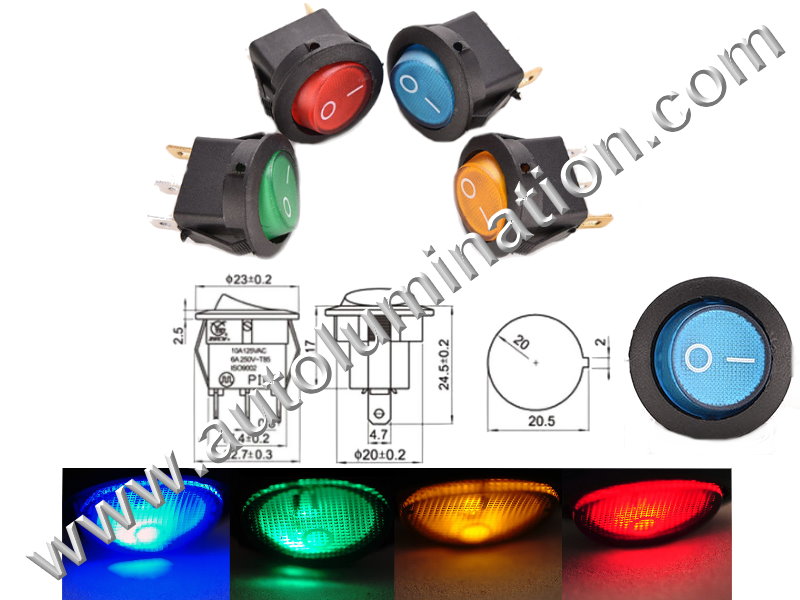
| Metal Toggle | Plastic Rectangular Rocker | Plastic Round Dot Rocker | Plastic Round Full Rocker | Metal Toggle W Cover |
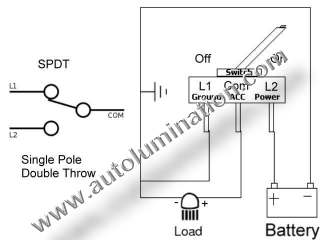
| SPDT | DPDT | SPDT | SPDT | SPDT |
| $3.99 Each | $3.99 Each | $3.99 Each | $3.99 Each | $4.99 Each |
|
|
|
|
|
|
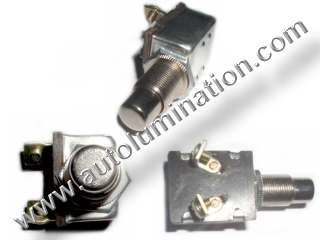
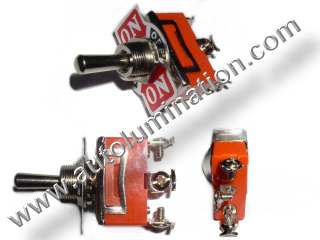
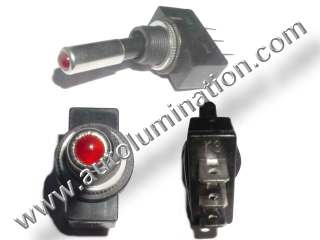
Switches
|
|
|

|
|
|
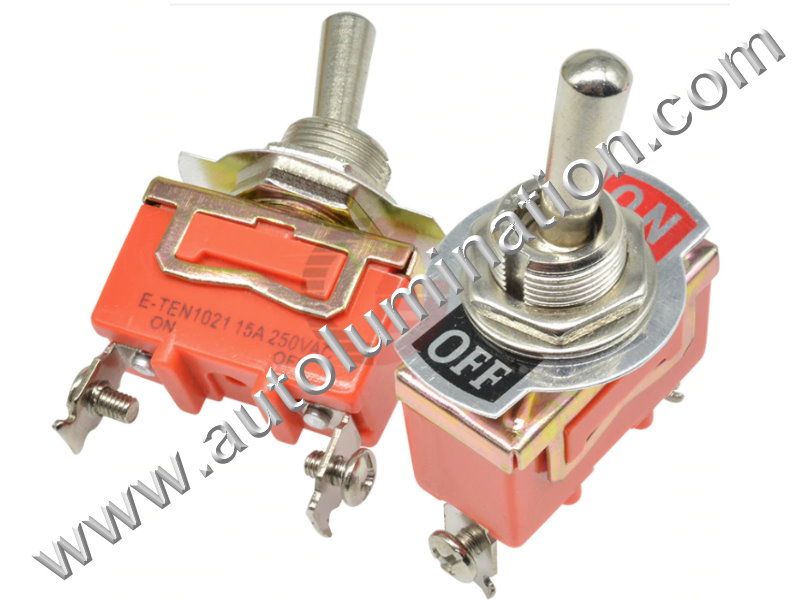
Steel Toggle Switch |
Super Heavy Duty Steel Spring Loaded Horn Switch |
Super Heavy Duty Steel Toggle Switch |
Plastic Toggle Switch with Red Indicator Light |
Red Led Indicator Toggle Switch |
| Toggle Up/Down | Push and Release | Toggle Up Middle Down | Toggle Up Down | Toggle Up Down |
|
SPDT Single Pole Dual Throw |
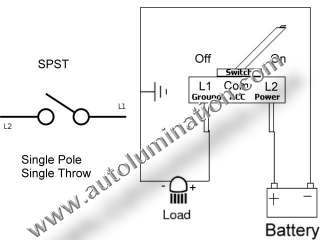
SPST Single Pole Single Throw |
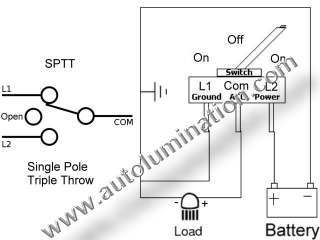
SPTT Single Pole Single Throw |
SPDT Single Pole Dual Throw |
SPDT Single Pole Dual Throw |
| See Wiring Diagram / Schematic | See Wiring Diagram / Schematic | See Wiring Diagram / Schematic | See Wiring Diagram / Schematic | See Wiring Diagram / Schematic |
|
$1.99 Each |
$2.99 Each |
$ 1.99 Each |
$ .99 Each |
$ 1.99 Each |
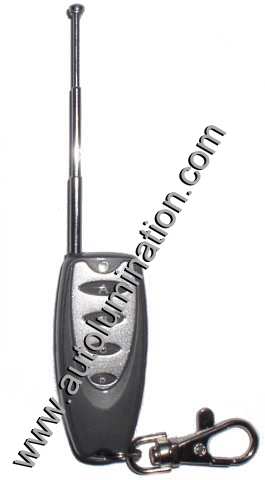
Miniature 12 Volt Remote Control Switches With Flashing Settings
|
|
|
| Receiver | Remote |
| Universal Led 4 Channel x 2 Function x 4 Speed Remote Controller with Memory | |
| Controls 4 Circuits 4 Flash Speeds, or Constant on | |
| 120 cycles per minute (fast) to 50 cycle per minute (Slow) + on/off | |
| $29.99 | |
5 Wire Connectors:
|
|
||
| 24" | 36" | 48" |
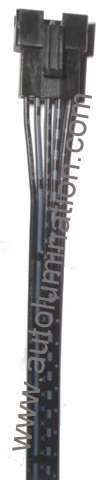
| 5 Wire Male to Female Jumper | ||
| $2.99 | $3.99 | $4.99 |
|
|
|
||
| Male | Female | ||
| 12" | 18 " | 24 " | |
| 5 Wire Pigtail Connector | |||
| $1.99 | $2.99 | $3.99 | |
|
| 5" |
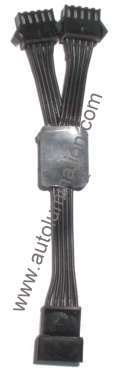
| 5 Wire Female to Male Splitter |
| $2.99 |
Operation & Programming Instructions for the LRT1 Programmable Remote
This programmable remote control (
remote) can duplicate a majority of fixed code remote controls.
A fixed code remote control is one that transmits the same frequency, or code each time the button is pressed.
This unit can duplicate the frequency as long as the original remote control operates between the frequencies of 251-538 Mhz and the remote does not utilize Code Hopping or Anti-Code Grabbing Technology, which changes frequency each time the button is pressed.
It is not possible to copy any remote that utilizes Code Hopping or Anti-Code Grabbing Technology. This is because these types of remotes send a different code each time the remote is pressed.
The
remote has four buttons that can each be used for multiple functions. The same code can be copied onto multiple buttons if desired. Alternatively, you can program the remote with a different code for some or each button to operate multiple devices from one remote. If your original remote has a function controlled by pressing multiple buttons together, you must duplicate that code to a single button on your
remote. You can also copy multiple remotes onto the one
remote, provided they all operate on the same frequency
PROCEDURE TO AUTOMATICALLY DUPLICATE THE FREQUENCY OF YOUR REMOTE
1. Determine the frequency of your original remote control unit.
By FCC regulation, this should be printed on the back of the unit and is indicated in MHz (megahertz).
You may also refer to the following chart to see if your unit is listed
|
Chamberlain
Genie, Sears
Lift-Master
Master Mechanic
Wayne Dalton
|
390 MHz |
|
Pulsar
|
318 MHz |
|
Master Craft
|
315 MHz |
|
Linear
Moore-O-Matic
Stanley Multi-Code
|
310 MHz |
If you cannot find the frequency of your unit, you may have to contact the manufacturer to determine the frequency that the remote control unit operates at.
You can also try the trial and error method, but that can be very time consuming since the programming usually requires several tries to be successful.
Note: If the frequency is not between 251 and 538 MHz, the
remote cannot duplicate the frequency.
2.
Once you determine the frequency of your remote control unit, you must arrange the jumpers on the
remote per the table below in order to match the frequency of your original remote control in order to program the
remote
.
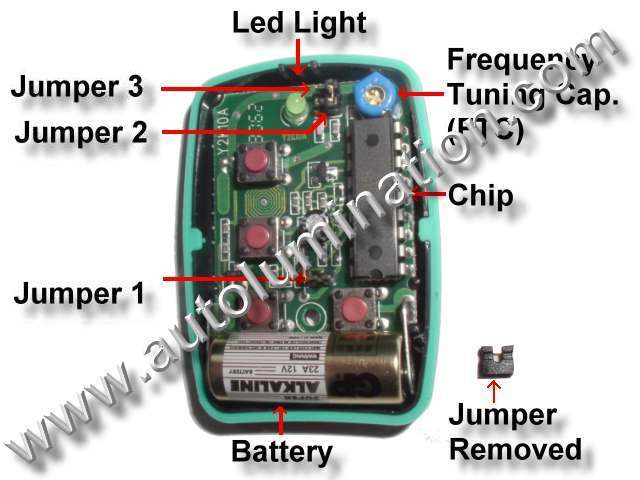
Check the position of each of the three jumper locations in the
remote after removing the cover of the
remote
.
The cover can easily be removed by pulling the two halves of the plastic case apart. Use the tool provided to pry in between parting lines to help separate the two halves of the plastic case.
There are 3 jumper locations and two plastic jumpers in each
remote
.
The jumpers can be removed or installed onto the jumper pins with a pair of needle nose pliers or tweezers.
Arrange the jumpers to match the table shown below.
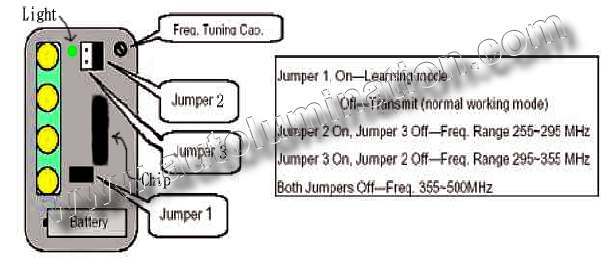
Jumper location 1 On – Learning Mode
Jumper location 1 Off – Transmit (normal working mode)
(Note the
remote will not transmit in learning mode and will not program in operating mode):
Program Mode:
|
Frequency Range |
Jumper 1 |
Jumper 2 |
Jumper 3 |
|
251~294 MHz |
On |
On |
Off |
|
295-355 MHz |
On |
Off |
On |
|
355-538 MHz |
On |
Off |
Off |
|
|
3.
Place the
remote and original transmitter right next to one another on a flat non-metallic surface, or back to back in one hand.
4. Once you have the units arranged so the chips are as close to one another as possible, press & hold down the button on the original remote that you wish to program onto button 1 of the
remote, and then immediately press & hold down the button on the remote that you want to program. The green
remote light should light up green briefly and then go dark briefly.
Hold both buttons down until you see the green light on the
remote pulse three times.
This should only take ~ 5-10 seconds.
If you do not see the three pulses, you have not successfully duplicated the code from the original remote.
In some cases, this may take several tries before the code will be recognized and stored onto the
remote
.
If you do not see the green light pulse three times, repeat step 4 until the green light pulses 3 times.
Steps to take if you cannot get the green light on the remote to pulse three times after repeated attempts:
A. Ensure that the chip side of the remote is arranged so that it is as close to the original remote as possible. Ensure that the original remote is arranged so that the chip in the original remote is as close as possible to the remote chip Rotate one or both units to get the chips physically as close as possible .
B. If the green light on the remote will not light at all, check to ensure the battery is in and that the battery is not backwards (+ should be towards the buttons on the remote).
C. Ensure that the jumpers are all correct (see step 2).
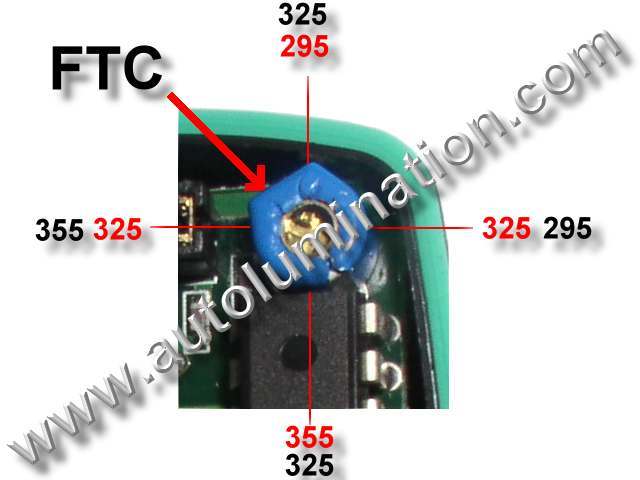
D. If all else fails, use the tool provided to make minor adjustments to the Frequency Tuning Cap. (FTC). While holding down the button on the remote and the button on the original remote, turn the screw in the FTC very slowly clockwise and then counterclockwise until the green light on the remote pulses 3 times. Once you see the light pulse 3 times, make a note of which button you have programmed for that remote. Remember not to reprogram that button, or you may lose the code and have to reprogram it again.
The FTC will change the frequency at a rate of +/-60 mhz for each 1/2 revolution, so it is very sensitive. Usually the frequency only is off about 10 mhz, so you may only need to move the FTC 1/8 turn one direction or the other to move 10 mhz.
Examples:
For frequency range 295-355, if you turn the FTC 180 degrees (1/2 turn in either direction) it will move +/-60 mhz, so if it was at 295 mhz and you turn it 180 degrees it will go to 355 mhz.
If it was at 325mhz and you turn it 180 degrees (1/2 turn), it will be at 325 mhz.
If you turn the FTC 90 degrees it will change the frequency ~+/-30 mhz. If you rotate the FTC 360 degrees, it will return back to the original frequency.
5. Repeat steps 1-4 for buttons 2, 3, & 4 on the remote if desired.
Note: After all of the buttons have been programmed, the unit will not yet transmit a signal, and it will not operate properly until step 6 is completed.
6.
Remove Jumper 1 near the battery. This activates the unit and it is now in normal working mode.
The
remote now will not be reprogrammed and the remote will now transmit and operate.
CAUTION: DO NOT LOSE THE JUMPERS.
Place the unused jumpers over just one pin so you will not lose the jumpers. Alternatively, you can leave the jumpers loose inside the remote.
You may need the jumpers again someday, if you have to reprogram the
remote.
As long as the jumper is only installed over a single pin at the jumper position, it will not activate that jumper position and can be stored there safely for future use, if required.
7. After you verify that the remote operates properly for each device you have programmed it for, replace the cover and screw closed using the tool and screw provided. Do not over tighten. The procedure is now completed.
FCC Caution:
This device complies with part 15 of the FCC Rules. This operation is subject to the following two conditions. (1) This device may not cause harmful interference and (2) this device must not accept an interference that may cause undesired operation.
Note: If you get the remote light to pulse 3 times, but the remote will still not operate your device, or if the range of the remote in not sufficient, you may have to complete the following additional adjustments (First verify that jumper 1 has been removed. The remote will not transmit if jumper one is across both pins) :
TO MANUALLY ADJUST THE remote AND FINE TUNE THE FREQUENCY, FOLLOW THESE STEPS
1. Re-open the case of the remote using the tool provided. Replace Jumper 1 (Learn Mode).
2. Identify the frequency tuning capacitor (FTC). Refer to diagram.
3. Place the remotes together with the chips as close as possible. Press and hold down a matching button on each remote using two fingers from one hand (with a little practice you can do this yourself, or you may need a helper). Now part your fingers so as to slowly increase the distance between the remotes to the point where the green remote light becomes most dim, but is still visibly lit. As you do this, you may notice that the remote reprograms itself. After it reprograms itself (as indicated by the 3 pulses), the light will stay lit solid for only a few seconds. During this brief period,
Use the tool provided to turn the screw in the FTC very slowly clockwise and then counterclockwise until the green light on the remote glows brightest.
Once the FTC is adjusted to make the light as bright as possible, you have maximized the range of the remote for that device.
During this process, you may notice that the remote will not reprogram, or loses it's program. This is caused by the FTC being adjusted too much or in the wrong direction. To correct, place the units
|
|
The FTC will change the frequency at a rate of +/-60 mhz for each 1/2 revolution, so it is very sensitive. Usually the frequency only is off by about 10 mhz, so you may only need to move the FTC 1/8 turn one direction or the other to move 10 mhz.
Examples:
For frequency range 295-355, if you turn the FTC 180 degrees (1/2 turn in either direction) it will move +/-60 mhz, so if it was at 295 mhz and you turn it 180 degrees it will go to 355 mhz.
If it was at 325mhz and you turn it 180 degrees (1/2 turn), it will be at 325 mhz.
If you turn the FTC 90 degrees it will change the frequency ~+/-30 mhz. If you rotate the FTC 360 degrees, it will return back to the original frequency.
IMPORTANT: After this process, be sure to remove Jumper 1 before trying to operate the remote. The remote will not transmit if Jumper 1 on both pins.
4. If you do not know the frequency range of your remote, try another Frequency Range by changing configuration of Jumper 2 & 3 and repeat the programming steps .
|
Frequency Range |
Jumper 1 |
Jumper 2 |
Jumper 3 |
|
251~295 MHz |
On |
On |
Off |
|
295-355 MHz |
On |
Off |
On |
|
355-538 MHz |
On |
Off |
Off |
5. Once successful, operating range can be maximized by moving to the furthest distance from the remote controlled device where the remote signal will still make the remote controlled device function. Take two steps backwards and minutely adjust the FTC in either direction until the alarm arms again. Repeat this procedure until maximum range is achieved.
6. Replace the case and screw it closed. Do not over tighten. The procedure is now complete.

UPIC Shipping Insurance
Note: Our packages are not automatically insured against loss during shipping. Insurance is the responsibility of the purchaser!
$2.00 for each $100 unit of insurance
Shipping Insurance
$2.00 per $100
|
Powered by Ewebmerchant.com |
remocon lrt-1 Y2K

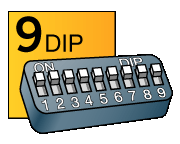 2. Dip Switches: Open the battery compartment on
your old garage door remote and look to see how many dip switches (tiny switches in a row) it has. If your old remote had 9 dip
switches, then it's a match for this remote. If you don't have your old garage door remote, you can also look to see how many dip
switches are on the back of your garage door opener (the overhead unit in your garage). The number of dip switches on the back of
the opener is the same as on the remote.
2. Dip Switches: Open the battery compartment on
your old garage door remote and look to see how many dip switches (tiny switches in a row) it has. If your old remote had 9 dip
switches, then it's a match for this remote. If you don't have your old garage door remote, you can also look to see how many dip
switches are on the back of your garage door opener (the overhead unit in your garage). The number of dip switches on the back of
the opener is the same as on the remote.